Website structure diagram maker
Map homepage, category pages, subpages, blog articles, tool pages, and landing pages before a redesign or new launch.
Browser-local SEO planning diagram
Plan a new website, tool directory, SaaS page architecture, blog taxonomy, content cluster map, or internal linking model with a local browser tool.
Your sitemap visualization is created locally in your browser. This tool does not crawl your website or connect to SEO accounts.
Enter page names, URLs, indentation, page types, content clusters, and optional internal links. The tool creates a hierarchy diagram, cluster summary, orphan page hints, page count summary, URL list, and PNG, SVG, or Markdown export in your browser.
Use one focused workspace for website structure diagrams, SEO site architecture diagrams, content cluster maps, internal linking maps, and page hierarchy diagrams.
Paste or write an indented list of page names, URLs, page types, and clusters. The editor turns the manual outline into a homepage node, categories, subpages, articles, and tool pages.
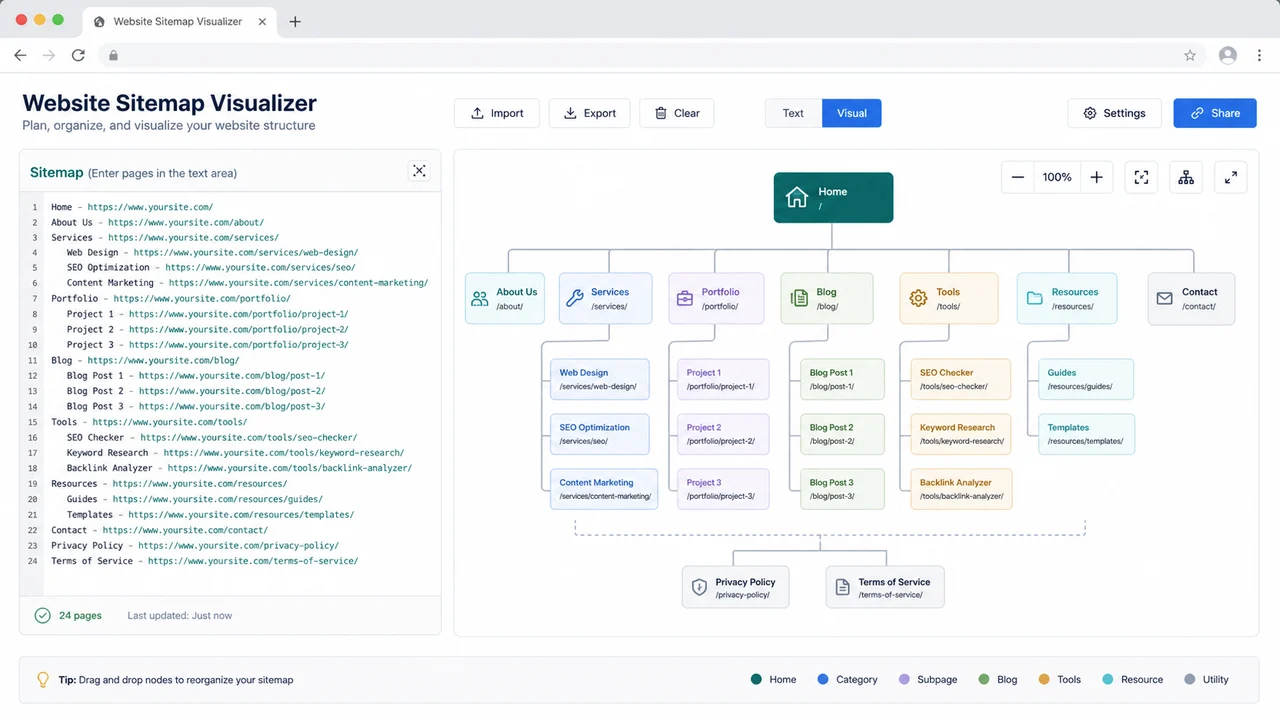
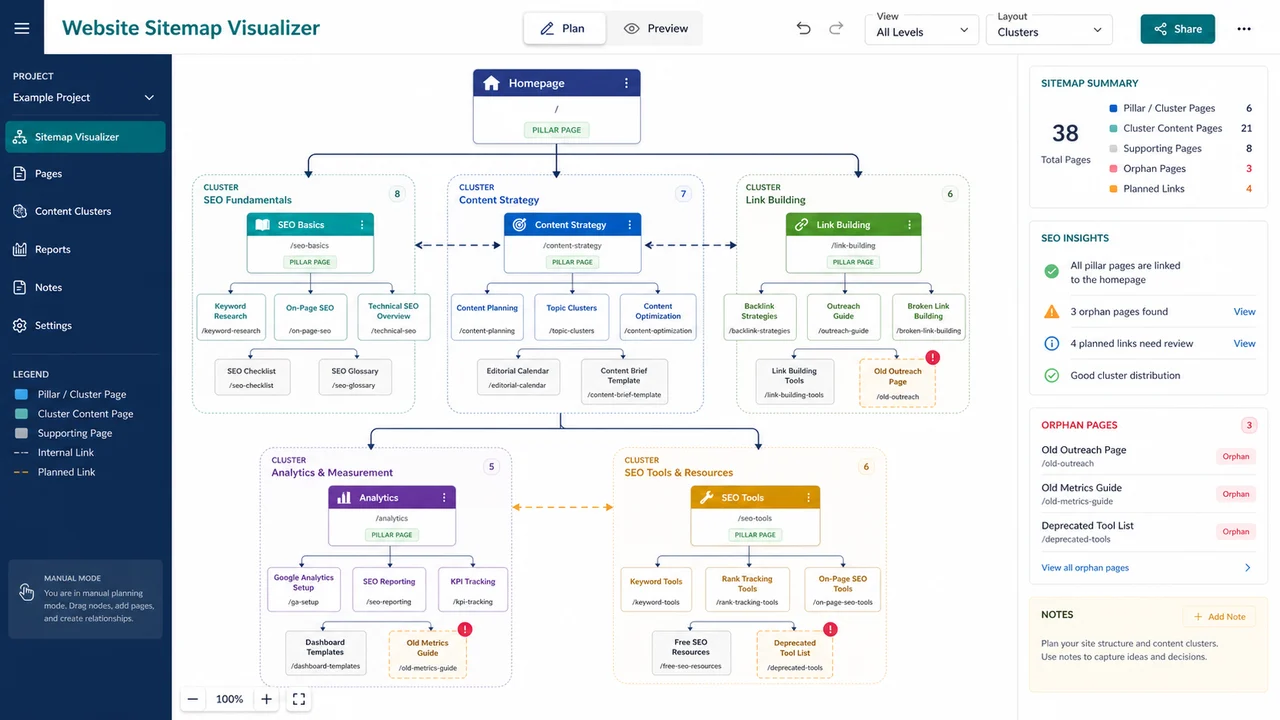
Group pillar pages, blog categories, SaaS pages, tool pages, and supporting articles into content clusters. The preview highlights internal links and potential orphan pages from your manual data.
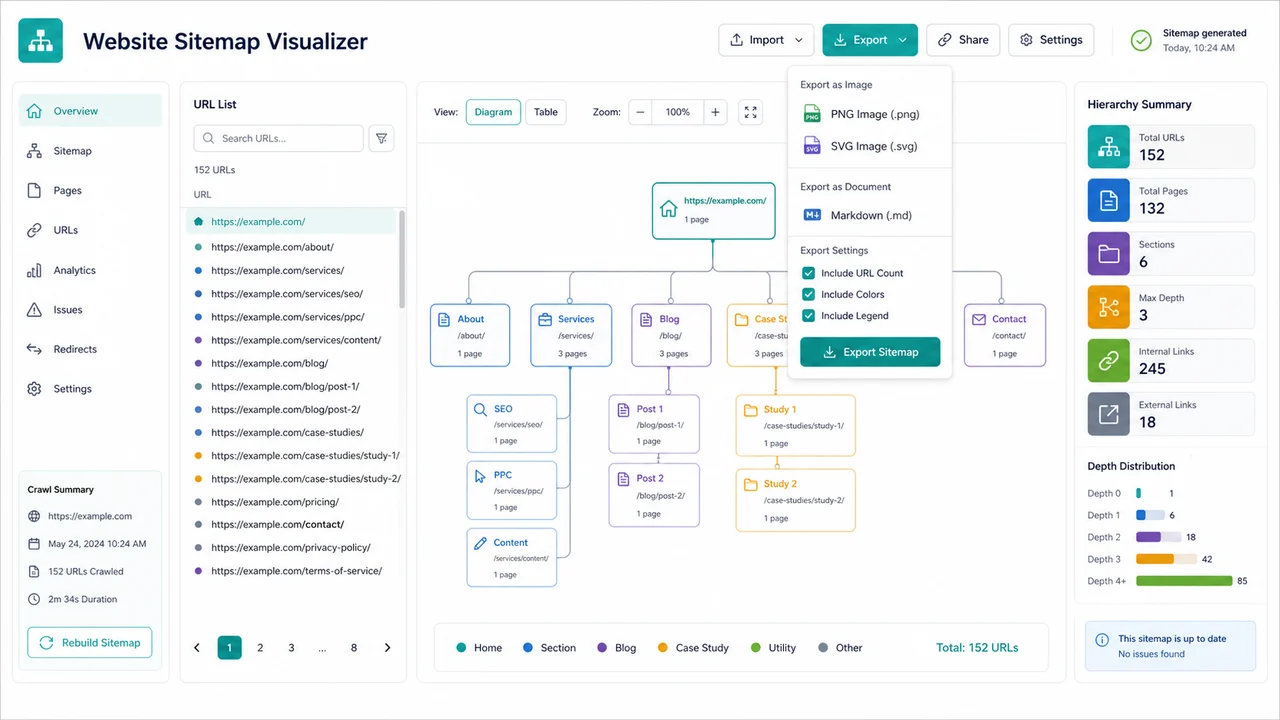
Download a clean website structure diagram as PNG or SVG, or export a Markdown outline with page count summary, URL list, internal linking notes, content clusters, and orphan page hints.
This page combines several search intents into one practical front-end tool instead of splitting website structure, SEO architecture, content clusters, internal links, and page hierarchy into separate mini tools.
Map homepage, category pages, subpages, blog articles, tool pages, and landing pages before a redesign or new launch.
Review whether important pages sit in logical sections and whether content clusters have clear paths from hub pages.
Group pillar content, supporting posts, SaaS feature pages, and tool pages by cluster so the structure is easier to scan.
Add manual internal links and labels, then spot pages that may need stronger contextual links.
Convert indentation into a clean page hierarchy diagram that helps teams align on navigation and URL structure.
Nothing is uploaded. The editor uses the structure you manually enter and saves only in local browser storage.
A fast workflow for turning rough website planning notes into a usable sitemap diagram.
Start with Home, then indent category pages, subpages, blog posts, tool pages, landing pages, and supporting content. Add URL, type, and cluster columns when you need more control.
If you are planning a new site, add draft URLs anyway. The diagram becomes more useful when URL patterns are visible.
Use the cluster column for SEO hubs, blog categories, SaaS feature groups, or tool directories. Add internal links manually as Source -> Target | Label.
The orphan hint flags pages without manual internal links so you can decide whether they need stronger navigation or contextual links.
Export PNG for quick reviews, SVG for crisp diagrams, or Markdown for documentation that includes the hierarchy, URL list, summary counts, and orphan page hints.
Because this is not a crawler, exported results reflect only the pages and links you entered.
Common questions about privacy, input format, exports, SEO planning limits, and when this local planning tool is the right fit.
No. It is a pure front-end planning tool. It only uses the page names, URLs, indentation, clusters, and internal links you manually enter in the browser.
Yes. It is designed for SEO planning tasks such as site architecture diagrams, content cluster maps, page hierarchy reviews, tool site category planning, blog taxonomy planning, and internal linking maps.
Use one page per line, indent child pages with two spaces, and add optional columns as Name | URL | Type | Cluster | Notes. You can also add manual internal links as Source -> Target | Label.
The orphan hint marks pages that do not appear in your manual internal link list. It is a planning hint, not a crawler-based SEO audit or proof that a live page has no links.
No. It exports PNG, SVG, and Markdown for planning and documentation. Automatic sitemap.xml generation would need accurate crawl rules, canonical decisions, and production URL validation, which are outside this browser-local tool.
Yes. Your input is processed locally in your browser and can be saved to local storage. It is not uploaded to ChartMakerBox or connected to Search Console, analytics, ranking tools, or SEO accounts.
Use one focused workspace for website structure diagrams, SEO site architecture diagrams, content cluster maps, internal linking maps, and page hierarchy diagrams.
Everything runs locally in your browser, with PNG, SVG, and Markdown export for planning handoff.
Manual input only. No website crawling, SEO account connection, or automatic sitemap.xml generation.