Project Timeline Maker
Plan kickoff, research, design, build, review, and launch steps in a clear project timeline with phases and milestones.
Free Timeline Maker
Your timeline is generated locally in your browser. No login, calendar connection, or project management account is required. This Timeline Maker combines project, roadmap, milestone, history, and event timeline intent because each one helps you show events in time order.
One Timeline Maker page for project plans, product roadmaps, milestone reports, history lessons, learning plans, life chapters, company development, and event flows.
Enter event names, dates, phases, and descriptions to generate a horizontal timeline or vertical timeline with event cards, date nodes, phase groups, milestone highlights, current node markers, event notes, time interval hints, PNG and SVG export, copied JSON, and a print-ready timeline. The Timeline Maker keeps every draft local in your browser.
This Timeline Maker keeps related search intent together. Project timelines, roadmap timelines, milestone timelines, history timelines, and event timelines all solve the same core job: arrange events by date and make the sequence easy to understand.
Add event names, dates, phases, and descriptions manually or paste a table. The Timeline Maker turns your rows into dated event cards and date nodes, then sorts the timeline so the order stays clear for project milestones, product roadmaps, historical events, learning plans, life moments, company development, and activity flows.
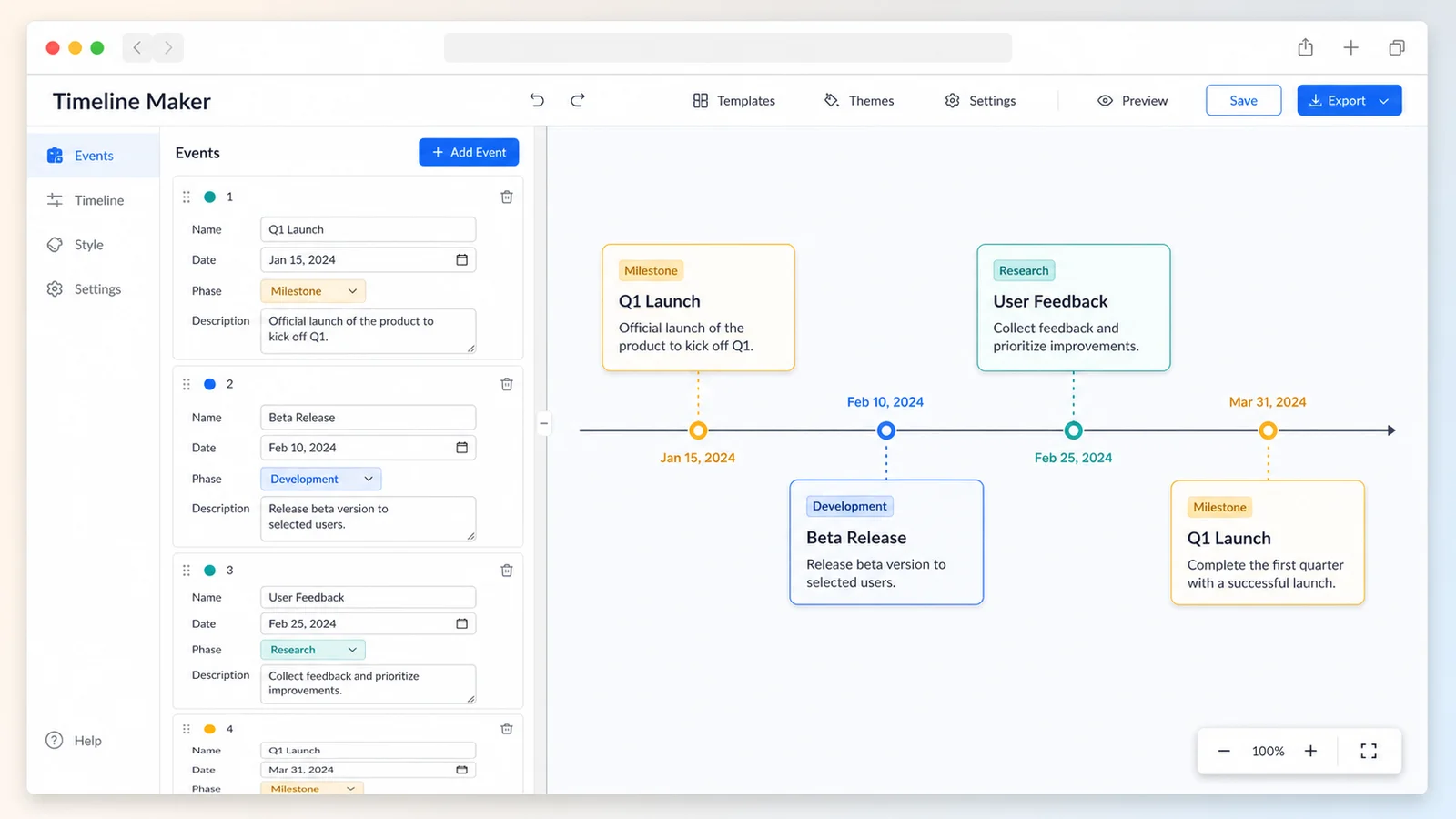
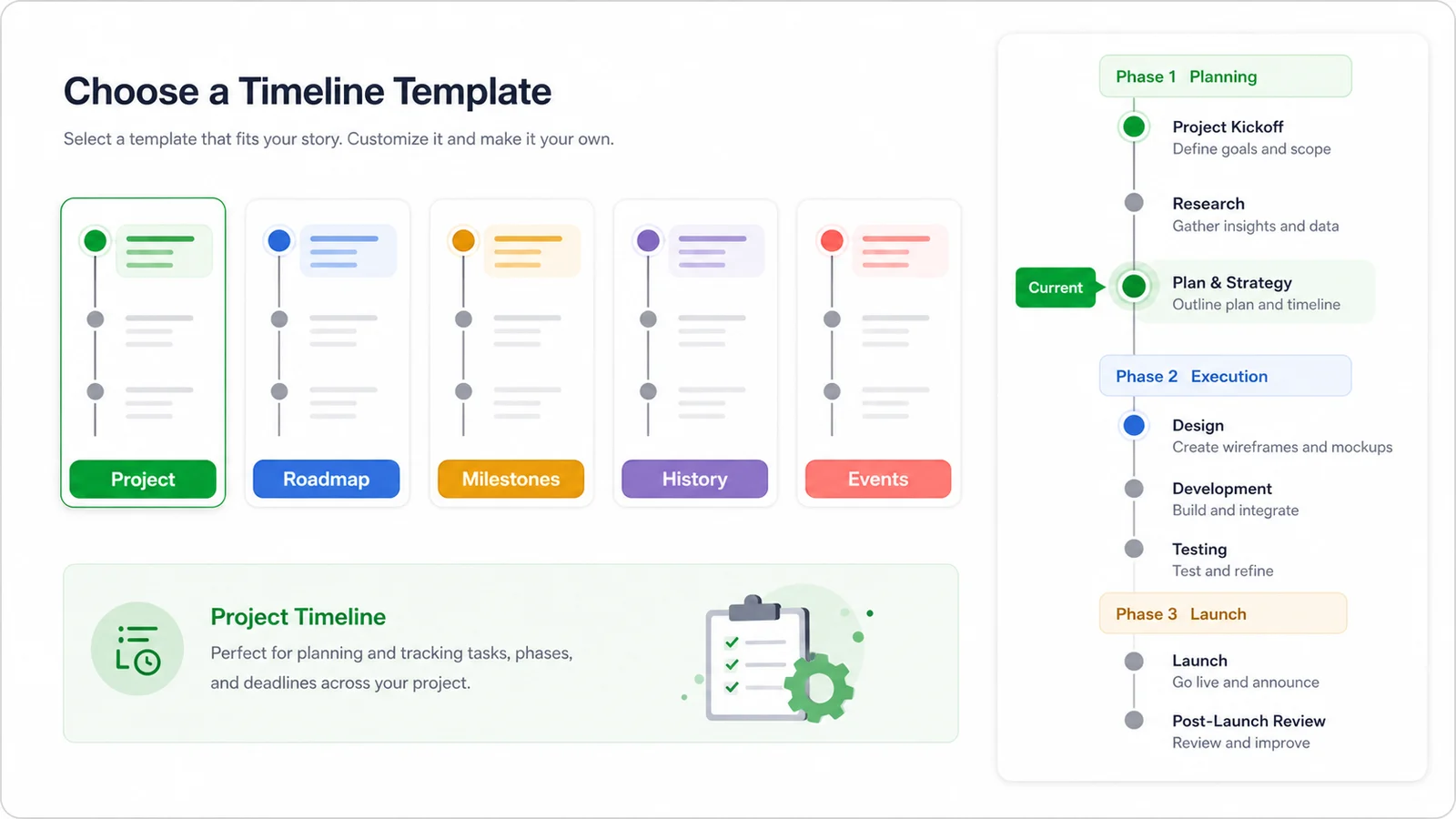
Use one Timeline Maker instead of splitting Project Timeline Maker, Roadmap Timeline Maker, Milestone Timeline Maker, History Timeline Maker, and Event Timeline Maker into separate pages. Template buttons change sample content and layout defaults while keeping the same editable timeline model.
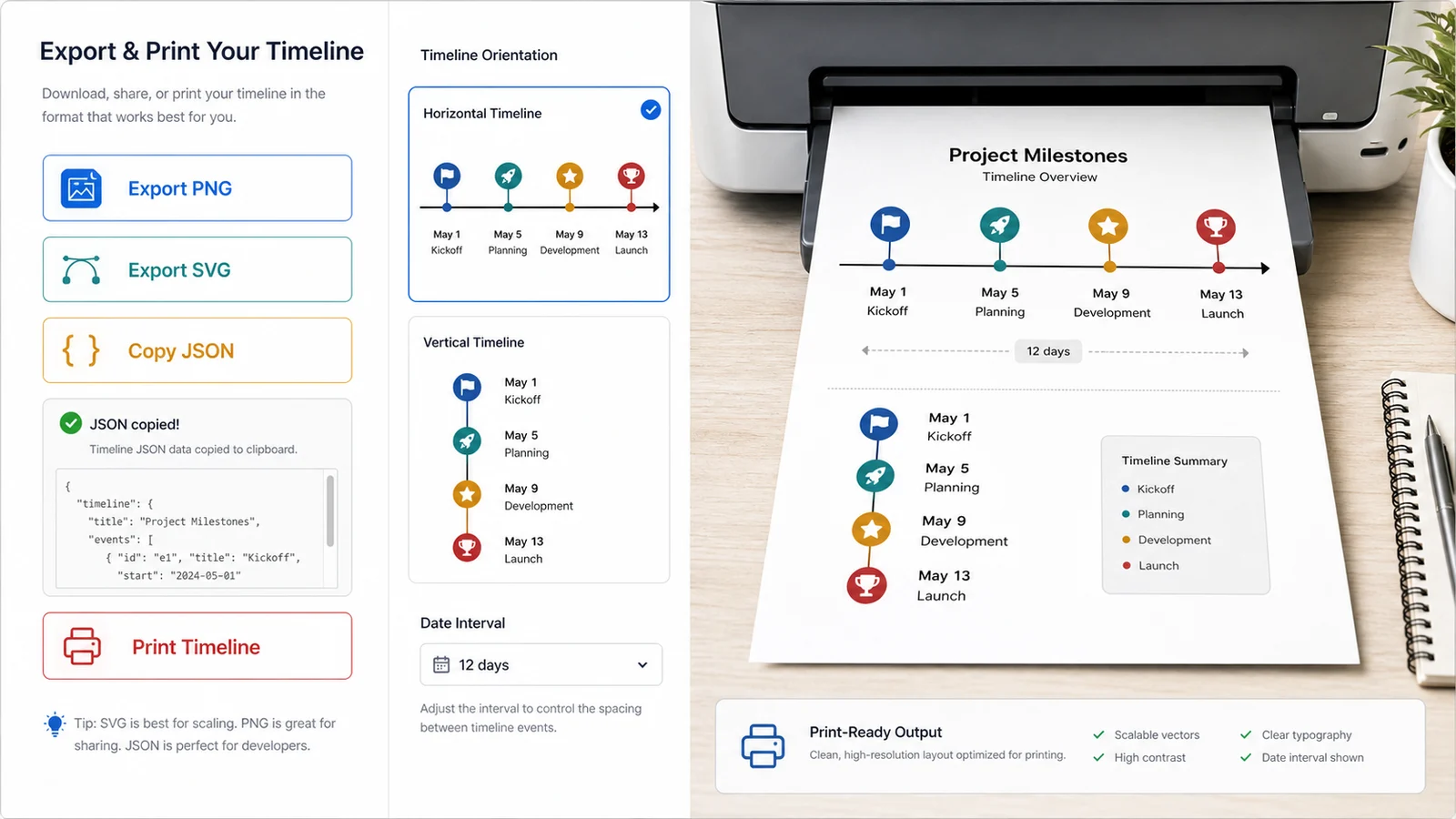
Download PNG for slides, SVG for scalable documents, copy JSON for later editing, or open a print-ready timeline. The Timeline Maker intentionally avoids team collaboration, account login, cloud sync, reminder notifications, calendar sync, multi-user editing, and project management system features because those require backends or third-party APIs.
Use one Timeline Maker for every story that needs time order: project plans, roadmaps, milestone reports, history lessons, study schedules, life chapters, company stories, and event flows. The editor keeps the workflow focused on static visual timelines.
Plan kickoff, research, design, build, review, and launch steps in a clear project timeline with phases and milestones.
Show now, next, and later product roadmap events without turning the editor into a project management system.
Highlight approvals, launches, releases, deadlines, and major checkpoints with milestone badges and date nodes.
Build a history timeline for historical events, company development, course material, biographies, or research notes.
Map an activity flow, workshop agenda, conference schedule, launch day, or ceremony order in a print-ready timeline.
Turn learning plans, course milestones, exam preparation, and personal goals into a simple browser-local timeline.
The Timeline Maker is intentionally manual, private, and browser-local. Prepare events, choose a template or layout, then export a static visual sequence without accounts, calendar permissions, or project management integrations.
List each event with a name, date, phase, and short description. Mark important checkpoints as milestones and mark one item as the current node when you need a status indicator. The editor can read the form fields or a pasted table.
Use a horizontal timeline for slides, product roadmaps, project summaries, and event flows. Use a vertical timeline for history lessons, long milestone lists, and company development stories. The Timeline Maker can show phase groups, interval hints, milestone highlights, descriptions, and current node markers.
Export PNG for slides and social posts, SVG for crisp documents, JSON for later editing, or a print-ready timeline for handouts. The editor does not provide cloud sync, reminders, calendar automation, team collaboration, or multi-user editing.
For private roadmaps or personal life timelines, keep the copied JSON only where you are comfortable storing the source data.
Practical answers about input format, customization, privacy, exports, mobile fit, limitations, and when this Timeline Maker is the right tool.
Yes. Timeline Maker searches for project, roadmap, milestone, history, and event timelines all share the same core intent: show events in chronological order. This page combines those templates so you do not have to choose between separate small tools.
You can edit events with form fields or paste a table with columns for Event, Date, Phase, Description, Milestone, and Current. Dates such as 2026-03-15 sort best. The Timeline Maker can still display custom date text, but interval hints need parseable dates.
No. Your timeline is generated locally in your browser. No login, calendar connection, project management account, cloud sync, reminder service, or third-party API connection is required. The Timeline Maker is for browser-local static timeline creation.
Yes. The Timeline Maker supports horizontal and vertical timelines. Horizontal timelines work well for roadmap slides and event flows, while vertical timelines are often easier for history timelines, company stories, study plans, and longer milestone lists.
You can download PNG, download SVG, copy JSON, or open a print-ready timeline. PNG is useful for slides and quick sharing, SVG stays sharp in documents, JSON helps you continue editing later, and print mode creates a cleaner paper-friendly result.
No. This Timeline Maker intentionally does not include team collaboration, account login, cloud synchronization, reminders, automatic calendar sync, multi-user editing, or a project management system. Those features require a backend, account permissions, storage, notifications, or third-party APIs, so they are outside a pure frontend site.
Yes. The Timeline Maker is responsive and works on phones, tablets, and desktops. A larger screen is more comfortable when editing many events or previewing a wide horizontal timeline.
Use the Timeline Maker to turn event names, dates, phases, descriptions, milestones, and current status into a clear visual timeline.
The editor stays browser-local, needs no login, and exports PNG, SVG, JSON, or a print-ready timeline.
Free Timeline Maker. No account, no calendar connection, no project management login.