Relationship Chart Maker for family relationship charts
Create a lightweight family relationship chart for a presentation, school project, story note, or personal sketch without building a real family database.
Free Relationship Chart Maker
Your relationship chart is generated locally in your browser. No contact list, social account, family database, or network scan is required. This Relationship Chart Maker combines Family Tree Maker, Character Relationship Chart Maker, Simple Network Diagram Maker, Concept Relationship Map Maker, and Dependency Graph Maker intent in one node-and-relationship editor.
One Relationship Chart Maker for family relationships, novel characters, role maps, team relationships, concept networks, project dependencies, and simple connected-node structures.
Enter people, concepts, projects, or node names, add labeled relationships between them, then generate a canvas with relationship nodes, connection lines, relationship labels, person cards, group colors, hierarchy guides, bidirectional relationships, main-node highlighting, a simple network layout, drag adjustment, PNG export, SVG export, and copyable JSON.
This page keeps family, character, concept, network, and dependency use cases together because they share the same node-plus-relationship-line structure.
Enter people, concepts, teams, roles, projects, services, or custom nodes. Add labels such as parent, married, mentor, ally, depends on, supports, member, or influences.
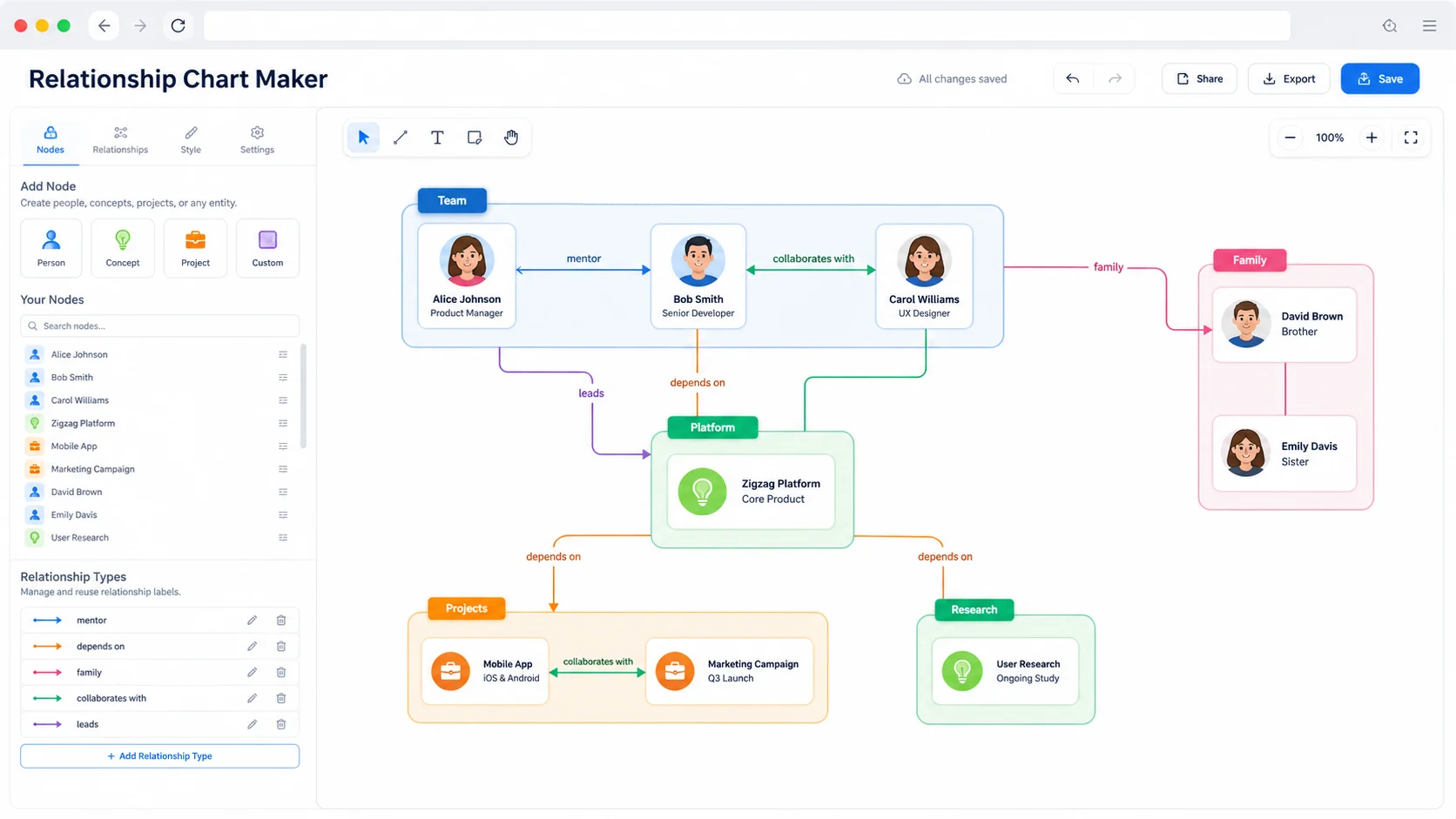
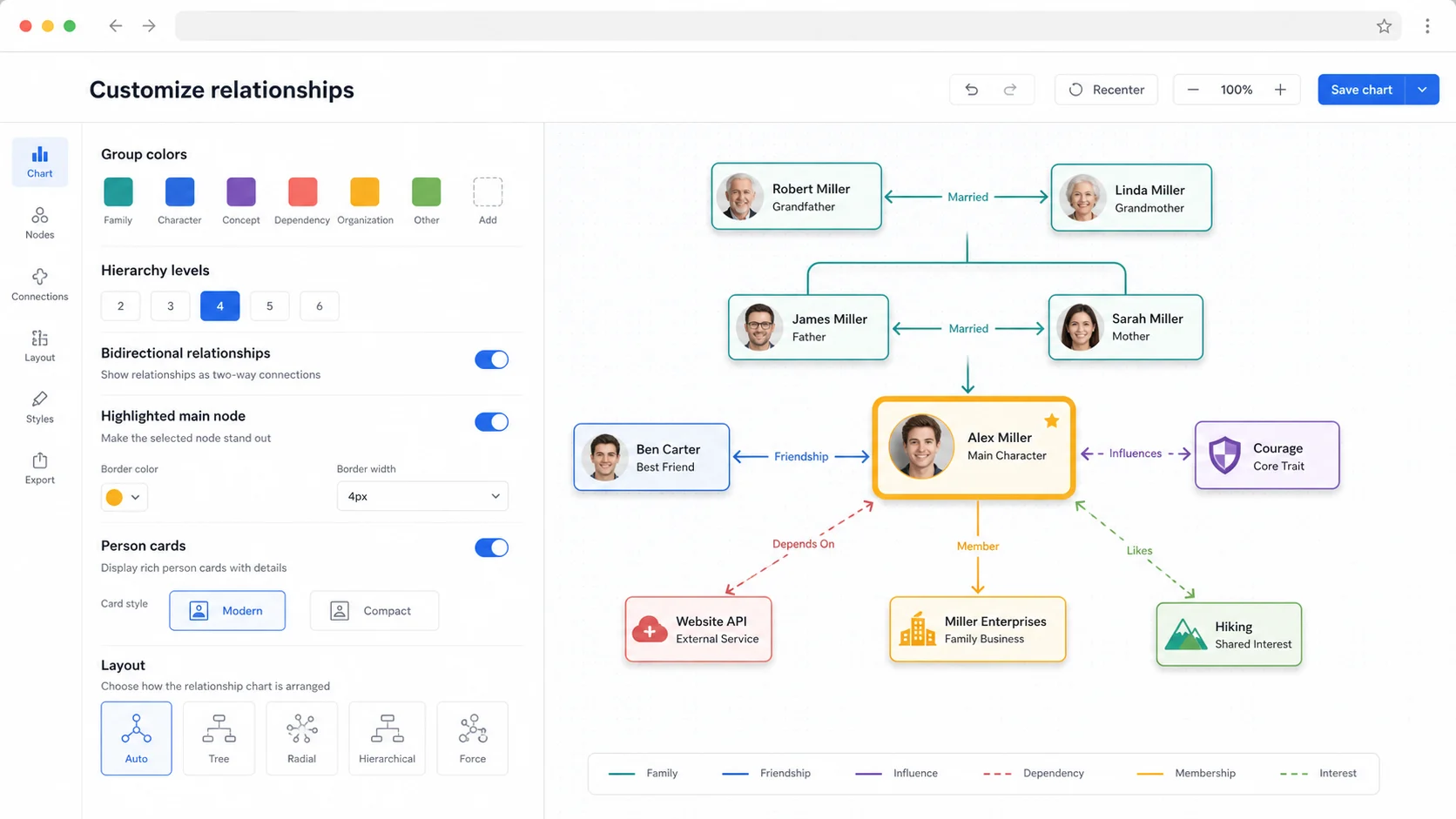
Switch between simple network, hierarchy, hub-and-spoke, and compact layouts. The editor can show group colors, person cards, hierarchy guides, bidirectional relationships, a highlighted main node, and a group legend.
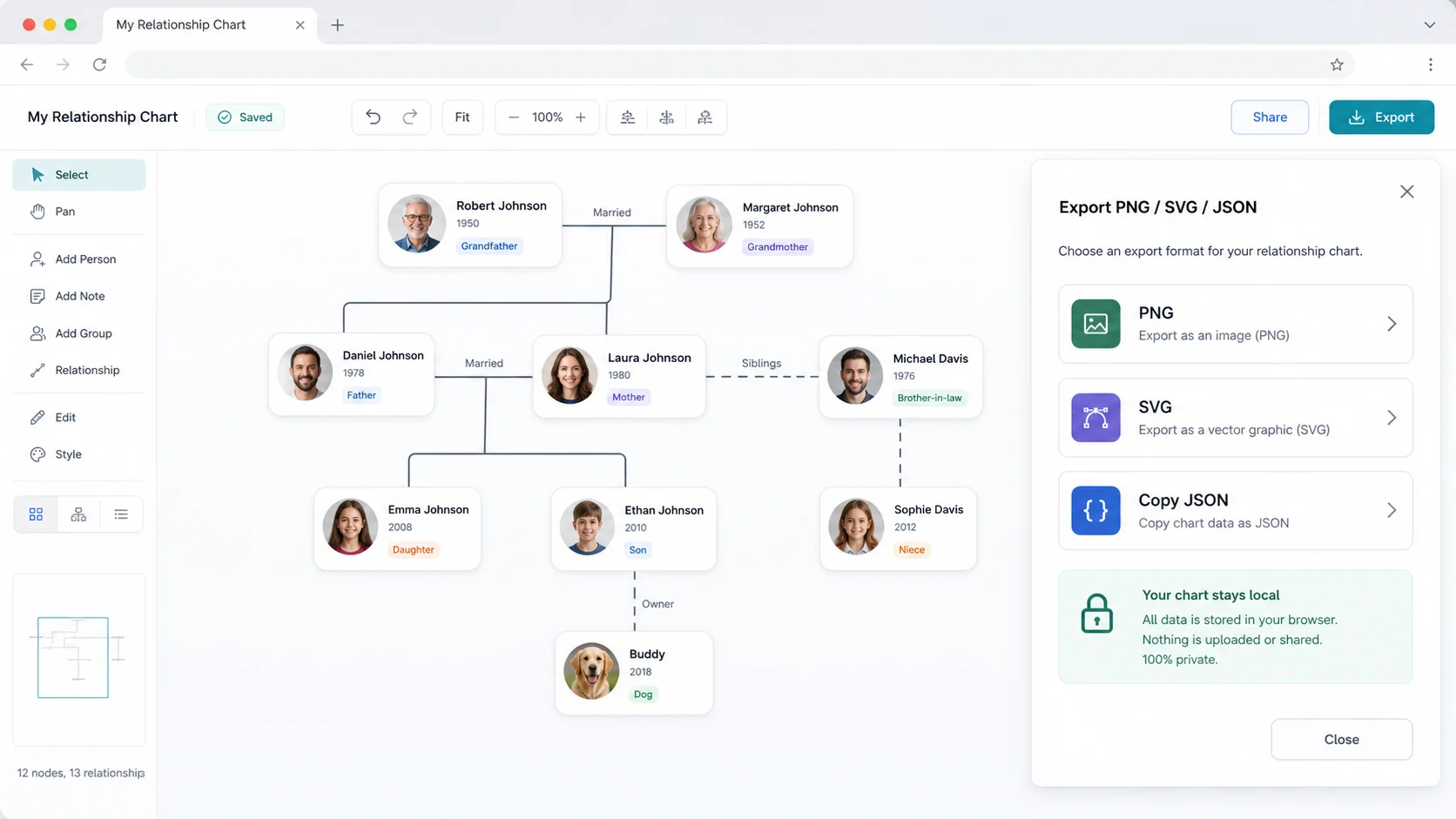
Download the canvas as PNG for slides, SVG for crisp design work, or copy JSON for backup and handoff. The chart data stays in your browser unless you decide to export it.
This kind of chart is useful whenever named items need visible connections, direction, labels, grouping, and a readable overview.
Create a lightweight family relationship chart for a presentation, school project, story note, or personal sketch without building a real family database.
Use it for novels, scripts, games, roleplay, and fan projects where protagonists, allies, rivals, factions, and secrets need labeled lines.
Make a simple network diagram for manually entered nodes, not IP scanning, server discovery, contact scraping, or technical topology detection.
Turn ideas, causes, evidence, themes, learning topics, and research terms into a concept relationship map with groups and directional labels.
Use it as a small dependency graph maker for projects, services, tasks, blockers, launch plans, and design dependencies.
Show who collaborates with whom, which role owns a project, where teams connect, and which node should be highlighted as the main focus.
This is a local visualization tool. It organizes relationship data you type yourself, but it does not fetch contacts, crawl social accounts, scan networks, or look up people records.
Write one node per line with name, kind, group, detail, and an optional main flag. Keep names short enough for cards, and use groups like Family, Allies, Concepts, Services, or Tasks.
Use Source -> Target for directional relationships and Source <-> Target for bidirectional relationships. Labels such as married, sibling, depends on, influences, owns, supports, or reports to make the chart readable.
Choose network for mixed node maps, hierarchy for family or responsibility layers, hub-and-spoke when everything radiates from one person, project, or concept, and compact for many items. Drag any card in the preview when you want a cleaner local arrangement.
Download PNG for slides and documents, download SVG for crisp design editing, or copy JSON when you want a portable backup of the nodes, relationship lines, labels, and layout settings.
Because the editor runs locally, exporting is the moment when your chart leaves the browser.
Common questions about browser-local family, character, concept, network, dependency, and role relationship diagrams.
You can enter people, fictional characters, concepts, teams, roles, projects, services, milestones, or any named nodes. The editor then uses your relationship lines and labels to generate a visual chart.
No. It can create a visual family relationship chart, but it is not a genealogy database. It does not store birth records, search ancestry sources, verify relatives, or manage long-term family research.
No. It does not import contacts, connect to social accounts, scrape networks, or fetch profiles. You manually enter the nodes and relationship labels you want to visualize.
Yes, for manually entered project dependencies, services, tasks, blockers, or launch items. It is not a server topology detector, IP network scanner, or infrastructure discovery tool.
The editor is responsive and can be used on mobile, but relationship diagrams are easier to edit on a tablet or desktop because dragging nodes and reading labels benefits from more screen space.
The tool supports PNG for presentations and documents, SVG for scalable design workflows, and copyable JSON for backup or handoff. The exported JSON contains your typed chart data and layout settings.
Yes. Your chart is generated locally in the browser. ChartMakerBox does not require a contact list, social login, family database, network scan, or back-end upload for this tool.
Yes. You can use exported PNG, SVG, and JSON files in client work, internal planning, writing projects, presentations, and documentation, as long as you have the right to use the content you entered.
Open the editor, enter your nodes, add relationship labels, and adjust the diagram locally in your browser.
Use it for family relationship charts, character relationship charts, concept maps, dependency graphs, team maps, and simple network diagrams without external data access.
Free Relationship Chart Maker. No sign-up, no contact import, no social account connection, and no network scan.